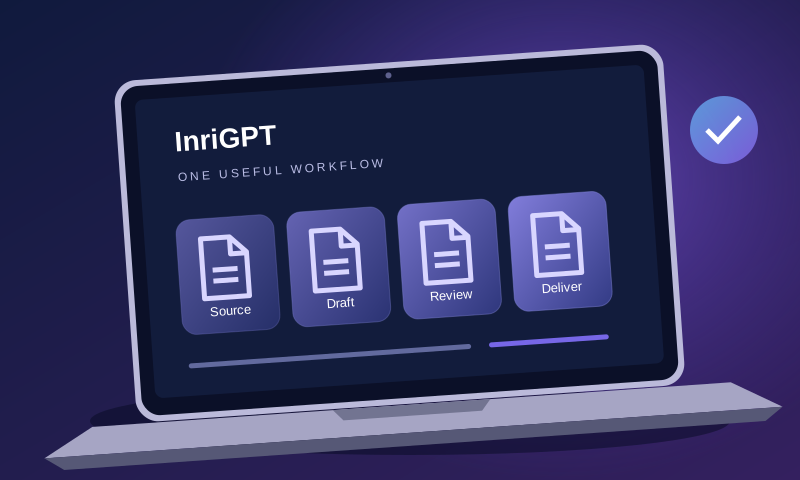
A team can buy an AI tool and still spend the next week wondering where it belongs. The missing piece is often a handoff: a defined input that one person turns into an output another person can use. A better first project is usually one of those handoffs, rather than an attempt to automate a whole department.
This guide uses a fictional service enquiry to show the process. It is a planning example, not a customer case study or a claim about time saved.
Choose a task with a visible finish line
Consider the work between receiving an enquiry and preparing for a discovery call. A team member reads the message, separates the request from background information, identifies missing facts and prepares questions. That has a clear input and a reviewable output. “Improve our sales” does not.
Write down the task in this format: When we receive [input], prepare [output] for [reviewer], who decides [next action]. For example: when a business sends a project enquiry, prepare a one-page brief for the project lead, who decides whether to arrange a call.
A good pilot also has a way to finish the work manually. If an incorrect answer would trigger a payment, change someone’s access or make an irreversible commitment, keep that action outside the first automation.
Build the output before choosing the prompt
Here is a fictional incoming message: “We manage maintenance bookings in a shared inbox and spreadsheet. Three coordinators copy customer details between them. We want to reduce duplicate bookings, but our booking system cannot be replaced this quarter. Could you suggest an approach?”
A useful brief should preserve the constraint about keeping the booking system. It should not invent a budget, a project deadline or an integration that has not been checked.
| Brief section | What belongs there |
|---|---|
| Requested outcome | Reduce duplicate maintenance bookings. |
| Current process | Three coordinators copy details between a shared inbox and spreadsheet. |
| Known constraint | The booking system must remain this quarter. |
| Unknowns | Booking volume, software access, duplication rate, budget and decision owner. |
| Next questions | Where do duplicates originate? Which system is the source of truth? Who can approve changes? |
This small structure gives the reviewer something specific to accept, correct or reject. A polished paragraph that mixes facts and assumptions is harder to check.
Give the assistant boundaries it can follow
Use only the supplied enquiry. Create a brief with requested outcome, current process, constraints, unknowns and five discovery questions. Mark absent information as “not supplied”. Do not estimate a budget, promise an integration or contact the customer. Include the sentence from the enquiry supporting each important constraint.
The last instruction matters: the reviewer can compare the brief with its source without reconstructing the assistant’s reasoning. For sensitive enquiries, remove personal details and confidential attachments before using a public demo. Check the chosen service’s data policy before introducing real business information.
Test the difficult cases, not only the tidy one
Prepare a small set of examples with different failure modes. Include a complete enquiry, one missing the requested outcome, one with conflicting dates, one that says a system cannot be changed, and one containing irrelevant instructions inside quoted customer text. Write the expected constraints down before running the test.
- Does the output keep the facts separate from suggestions?
- Does it preserve restrictions and unanswered questions?
- Can the reviewer trace an important claim to the input?
- Does it stay a draft, rather than imply that a customer has accepted a proposal?
Do not silently repair every result and call the tool successful. Record the correction, why it was needed and how long it took. Repeated corrections often identify a missing template field or an unsuitable task.
Decide whether to keep the workflow
Compare the whole process with your manual baseline. Include preparing the input, waiting, reviewing, correcting and completing rejected attempts manually. Our free AI pilot worksheet lets you record those costs without creating an account.
Keep the workflow if it gives the next person a more usable handoff at an acceptable total effort and error rate. If it does not, narrow the task or stop. A useful pilot can end with a decision not to automate.
To explore the format, open the InriGPT demonstration with a sample or redacted source. For a more specialised handoff, compare the available business tools with the specific input and output you wrote down.