
AI is everywhere these days. But how can you actually use it, and is it really as useful as everyone says?
You’ve probably heard people talking about artificial intelligence. It’s on social media, in the news, and even in the apps we use every day.
Some people use it to write emails. Others use it to study, run businesses, or come up with new ideas. But if you’ve never really tried AI before, you might be wondering where to start.
The good news is that you don’t need to know anything about programming or technology to use it.
In fact, using AI can be as simple as asking a question.
Let’s look at what AI can actually do for you, how to get started, and a few things worth knowing along the way.
So, What Exactly Is AI?
Artificial intelligence might sound complicated, but the basic idea is pretty simple.
AI allows computers to perform tasks that normally require human thinking, such as understanding questions, working with information, and generating written content.
Think about the last time you had to write a long email or prepare something for school or work.
You probably spent a good amount of time thinking about what to say and how to say it.
With AI, you can describe what you need, and it can help you put your thoughts together.
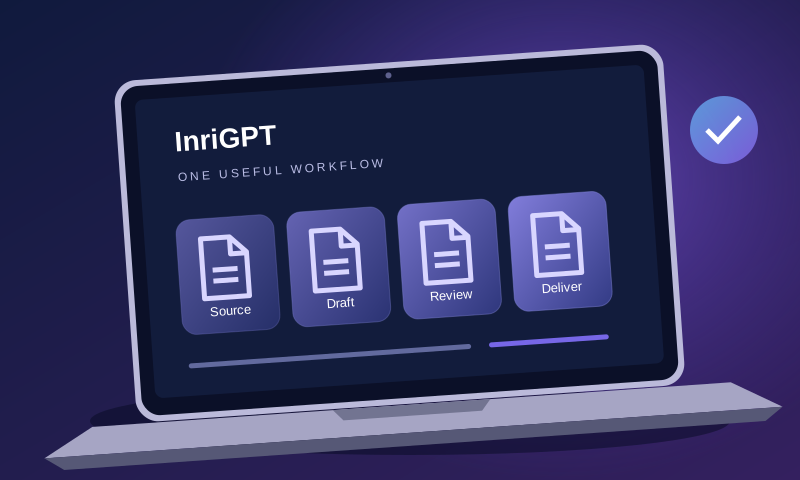
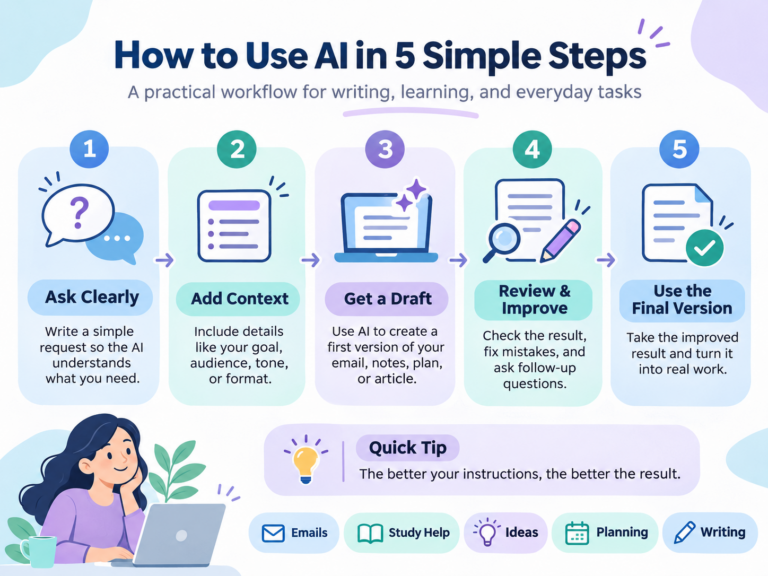
How to use AI in five steps
- Ask clearly. Choose one task. For a customer update, ask for a short email that explains when the project will be ready.
- Add context. Say who will read it, which facts are confirmed and how you want it to sound. Leave out private customer details.
- Get a draft. Open InriGPT Chat or your preferred assistant and send your prompt. Start with the example below.
- Review and improve. Check the delivery date against your project plan. If the assistant invents a reason for a delay, ask it to remove that sentence.
- Use the final version. Add the correct name and your own sign-off. Send it when you can stand behind every sentence.
For example, you could type:
“Can you help me write a polite email to a customer explaining that their project will be finished next week?”
Instead of staring at a blank page, you’ll have a draft to work with.
One possible draft is, “Hi [name], we expect to finish your project next week. I’ll let you know when it’s ready to review.” If the date is still uncertain, change “next week” to the next update you can actually promise.
Of course, that doesn’t mean you should copy everything AI gives you. It’s always worth reading through the response and making sure it sounds like you.
Start Small. You Don’t Need to Do Everything at Once.
One mistake people make when they first try AI is expecting it to handle everything perfectly.
It’s better to start with something small.
Maybe you need help writing an email. Maybe there’s a topic you’re struggling to understand. Or perhaps you’re trying to organize a project and don’t know where to begin.
These are all great places to start.
For example, imagine you’re planning to launch a small business.
You have an idea, but you’re not sure how to explain it to potential customers.
You could ask:
“I’m starting a small business that builds websites. Can you help me write a short introduction explaining what we do?”
You can then ask AI to make the introduction shorter, more professional, or more friendly.
That’s one of the most useful things about AI. You don’t have to get everything right with your first question.
You can keep improving the result through a conversation.
AI Can Make Work a Lot Easier
Let’s say you run a small company.
Throughout the week, you might need to answer customer questions, write project descriptions, prepare documents, and create content for your website.
Individually, these jobs might not seem like much. But together, they take time.
This is where AI can be helpful.
Instead of writing every document from the beginning, you can use AI to create a first draft.
For example, if a customer asks for a proposal, you could explain the project to an AI assistant:
“I’m creating a website for a local restaurant. Help me write a proposal that explains the project, what the website will include, and the expected timeline.”
You’ll get a starting point that you can edit to match the actual project.
The same idea works for business emails, reports, meeting notes, and even responses to Requests for Proposals (RFPs).
It doesn’t replace understanding your own business. It simply helps with some of the work involved in putting your ideas into words.
What About Using AI for School?
AI isn’t just useful for businesses.
Students can use it to understand difficult subjects, practice questions, and explore topics they’re interested in.
Imagine you’re studying physics and you don’t understand Newton’s laws of motion.
You could ask:
“Explain Newton’s three laws of motion like I’m learning them for the first time. Give me some everyday examples.”
If the explanation is still confusing, ask it to try again using simpler words.
You could even ask AI to quiz you so you can check what you’ve learned.
The important thing is to use AI to help you understand the subject, not just complete assignments without learning anything.
Think of it as an extra study tool rather than a replacement for studying.
Writing Doesn’t Have to Be the Hardest Part
We’ve all had moments when we know exactly what we want to say but can’t find the right words.
Maybe you’re writing an important email, a blog post, or a message to a customer.
You write a sentence, delete it, and start again.
AI can make that process a little easier.
You can give it a rough version of your message and ask it to improve the wording.
For example:
“Make this email sound more professional, but keep it natural and friendly.”
Or:
“Help me turn these notes into a short blog post that’s easy to read.”
You can also ask it to keep your original tone instead of making everything sound overly formal.
And that’s important, because good writing shouldn’t sound like it came straight out of a machine.
It should still sound like you.
The Secret Is Knowing How to Ask
Here’s something you’ll probably notice after using AI for a while.
Sometimes it gives you exactly what you wanted. Other times, the response is too long, too formal, or simply not what you had in mind.
Often, the difference comes down to how you ask.
For example, imagine you type:
“Write about business.”
That’s a very broad request, so AI has to guess what you want.
Now compare it with:
“Write a short, friendly introduction for a small technology company that helps local businesses create websites. Keep it under 150 words and avoid complicated language.”
The second request gives AI a much clearer idea of what you’re looking for.
You don’t need to learn complicated commands or memorize special phrases.
Just explain what you’re trying to do, give a little context, and mention how you want the answer to look.
If you don’t like the result, tell it what to change.
It’s really that simple.
Can You Trust Everything AI Says?
Not always.
This is something everyone should understand before relying on AI.
Even when a response sounds confident, it can contain incorrect information.
AI can misunderstand questions, get facts wrong, or present outdated information as if it were current.
That’s why it’s important to check anything that really matters.
If you’re using AI to write a casual email, a small mistake might be easy to fix.
But if you’re preparing a business proposal, researching important facts, or working with financial information, you’ll want to review the details carefully.
It’s also a good idea to avoid sharing passwords, sensitive personal information, or confidential documents unless you’re sure the service is appropriate for that information.
AI can be incredibly helpful, but it’s still a tool. You’re the one who decides what to do with the results. – Unejs Osmani
Will AI Replace the Way We Work?
It’s difficult to predict exactly what the future will look like.
What we can already see, though, is that AI is changing how people approach everyday tasks.
Things that once required hours of writing or organizing can sometimes be started in minutes.
Small businesses can create documents more easily. Students can explore subjects in different ways. People with creative ideas can get help turning those ideas into something real.
But there’s still a big difference between generating a response and knowing whether that response is useful.
Creativity, experience, judgment, and understanding people still matter.
The most practical approach is to learn how to work with AI rather than expect it to do everything for you.
Final Thoughts
If you’ve been curious about AI but haven’t tried it yet, don’t overthink it.
Start by asking a simple question.
Use it to help write an email, explain something confusing, or organize an idea you’ve had for a while.
You might not get the perfect answer immediately, and that’s okay. Change your question, explain what you need, and see how the response improves.
As you get more comfortable, you’ll probably discover uses you hadn’t even considered before.
You don’t need to become an AI expert overnight.
Sometimes, all it takes is one simple question to get started.